League Rules
How managers publish and edit league rules.
Every league has a Rules page. Players, captains, managers, and staff can open it from the league navigation by clicking "Rules."
Players and captains do not need hoops.love accounts to view league rules.
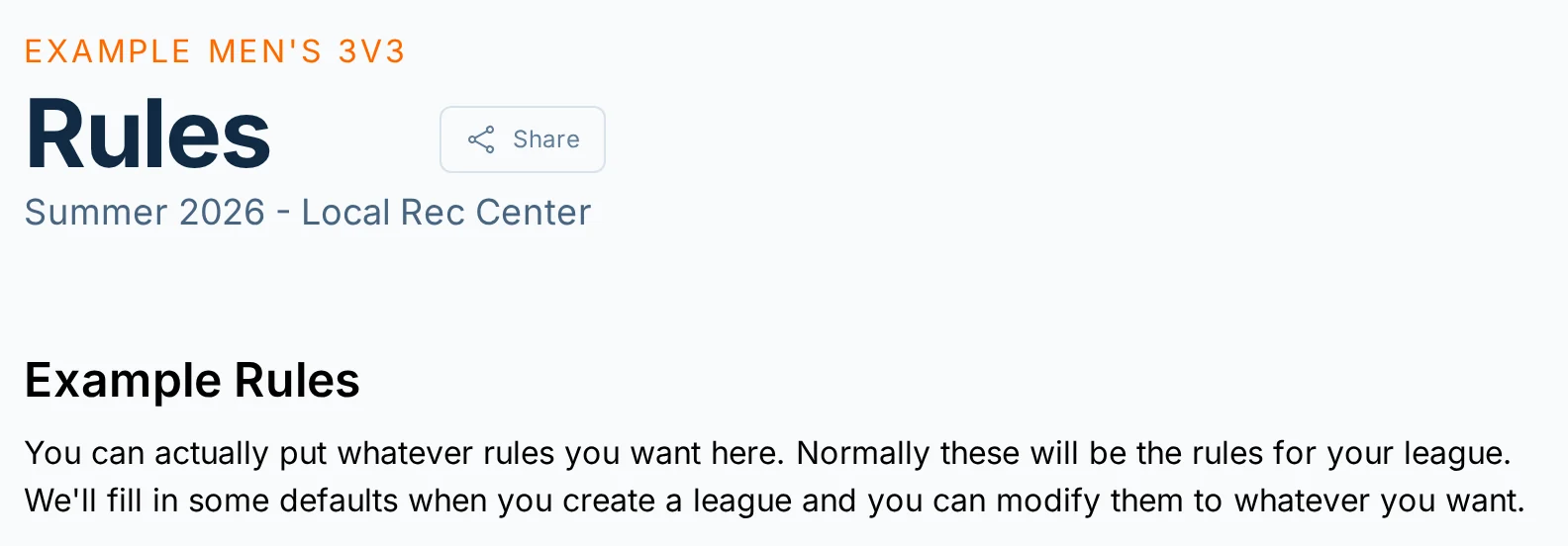
Starter Rules
When you create a league, hoops.love fills in starter rules based on the league setup details, such as team size, score settings, and playing surface.
If you copy a previous league, the new league starts with the copied league's rules.
Review the Rules page before teams start playing. The starter rules are a helpful draft, but your league may need venue policies, local house rules, prize notes, weather policies, or other details that only you know.
The Rules page is a text page. Editing the rules does not change score entry, standings, playoff brackets, registration, staff permissions, or the schedule. If one of those settings needs to change, use the matching manager setting or contact support.
Editing Rules
Managers and staff with rules permission can edit the Rules page.
Open the league, go to "Rules," and click "Edit." Update the text, then click "Save."
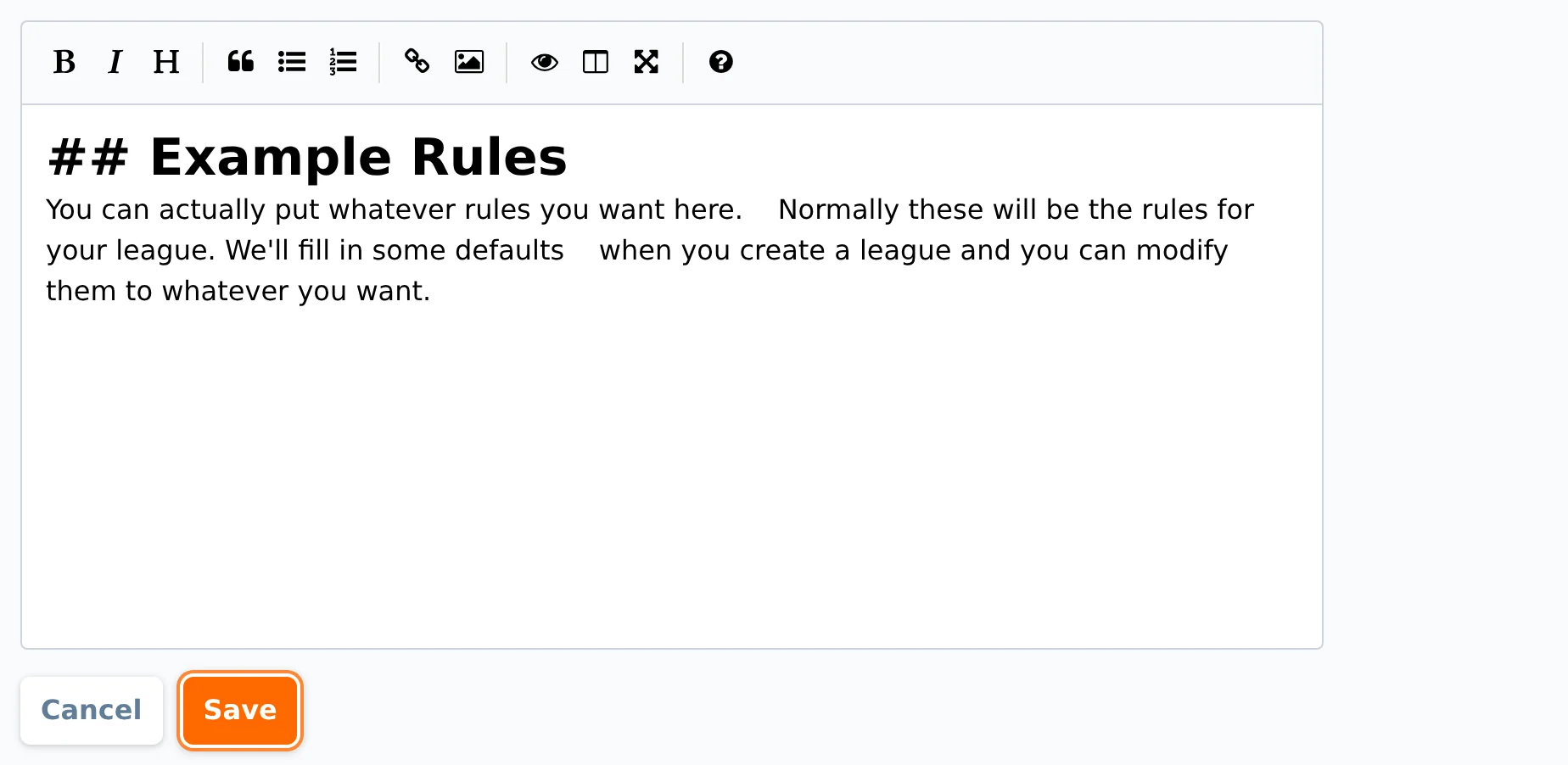
Click "Cancel" to leave edit mode and go back to the saved version without publishing your unsaved changes.
If no rules are saved, the page says "No rules saved."
Formatting Rules
Rules can be plain text, or you can use simple Markdown formatting.
Useful formatting options include:
# Headingor## Headingfor sections.- Itemfor bullet lists.1. Itemfor numbered lists.**bold text**for emphasis.[link text](https://example.com)for links.
Keep rules easy to scan on a phone. Short sections and bullet lists are usually easier for players to read than long paragraphs.
Telling Teams About Rule Changes
Saving the Rules page does not automatically email captains.
If teams need to know that rules changed, send a notification or a captain email after saving the update.
Common Questions
Do players need accounts to view rules?
No. Players and captains can view the Rules page without signing in.
Can players edit rules?
No. Only managers and staff with rules permission can edit league rules.
Can I use the Rules page to change scoring or standings?
No. The Rules page is for published text. It does not change how hoops.love calculates scores, standings, or playoff brackets.
For scoring and standings options, see Standings and Scoring.
Should I put reschedule, cancellation, and weather policies here?
Yes, if you want players to have a stable place to find those policies.
For the actual cancellation and reschedule workflow in the app, see Cancellations, Reschedules, and Forfeits.